China Yiwu warehouse · clearance
Clearance lots from our Yiwu warehouse. Invoice first.
Surplus batches in stock at our Yiwu warehouse. Install SBOS, switch on surplus alerts, check a lot by video call with the warehouse team, then order. We send the invoice — you pay by bank transfer.
Stock in Yiwu · Invoice before payment · Surplus push alerts · Video QC · Free app
Or download on this computer
Scan to open on your phone

Scan with your phone camera
Opens this page on your phone — then install Android or iOS from there.
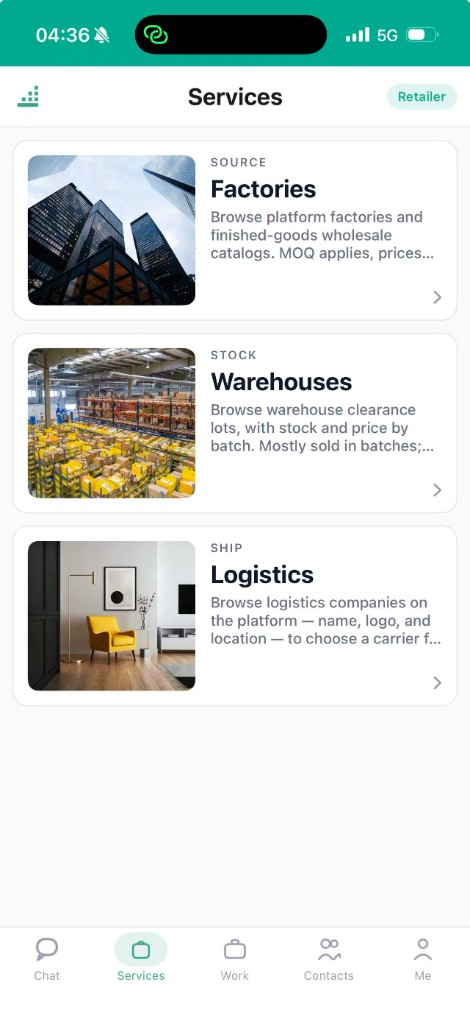
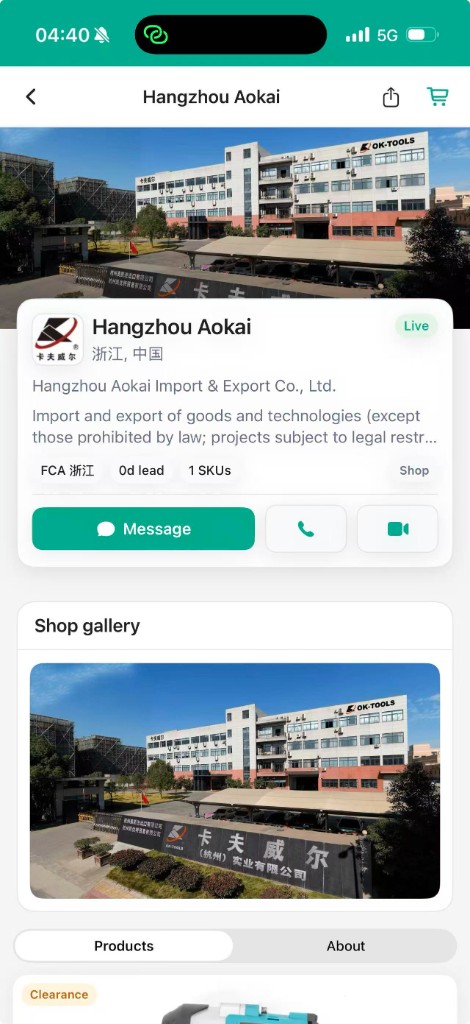
What you will see in the app
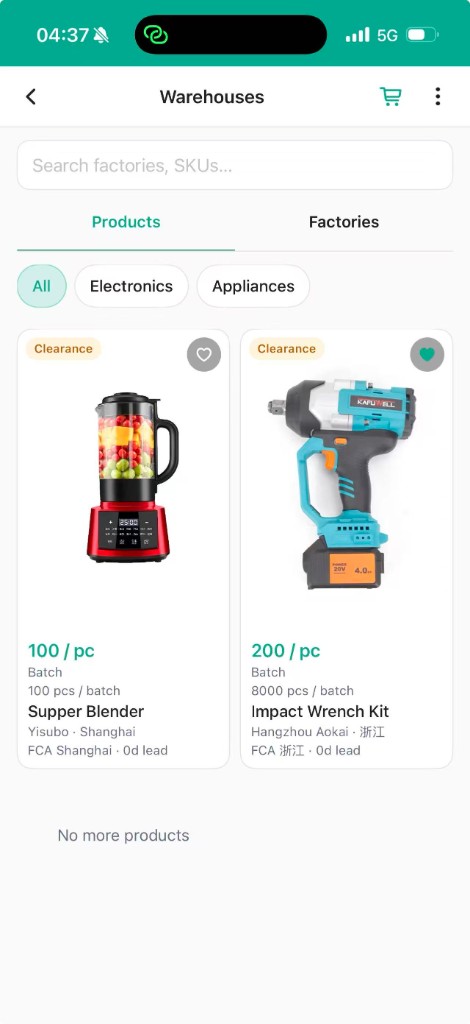
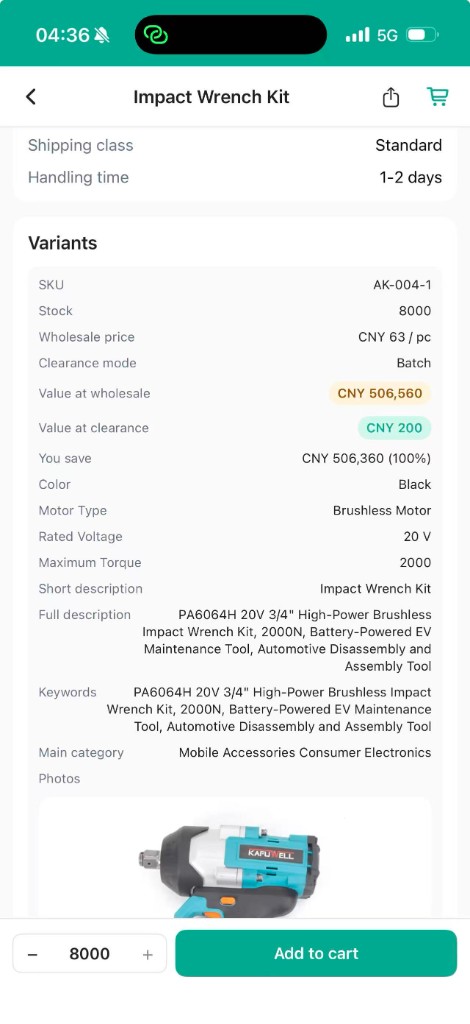
How clearance is priced
Warehouse clearance lot
Example — many lots sit around half of market FCA. This lot’s price and qty are in the app.
Clearance is priced against market FCA from China warehouses — often around half. The figure on the lot in the app is the one you pay. Main freight from China is separate.
How it works
- 1
Install and register
Download Android or iOS from this page, then register with your phone number.
- 2
Turn on surplus alerts
Allow notifications. New clearance lots in Yiwu arrive as push alerts with batch qty and price.
- 3
Browse and chat
Open Services → Warehouses, compare lots, and chat with the warehouse team in the app.
- 4
Video QC
Book a video call with the warehouse floor and check the real batch — stitching, colour, packing.
- 5
Order and get the invoice
Place the order in the app. We issue an invoice with the goods line and the freight line.
- 6
Pay by bank transfer
Pay the invoice by bank transfer to the account shown. Payment is offline — no card in the app.
- 7
Track, receive, rate
Follow the order status until the goods reach you, then rate the supplier.
Surplus alerts on your phone
Allow notifications when you register. When a new clearance lot lands in Yiwu, the app pushes an alert with the batch qty and price. No refreshing, no guessing.
Video QC before you pay
Book a video call with the warehouse team and check the actual batch on camera — stitching, colour, packing. You confirm before the invoice is paid.
Invoice first, then bank transfer
You order in the app and receive an invoice with the goods and freight lines. Pay that invoice by bank transfer to the account shown. Payment is offline — no card in the app.
This page is for
Importers and wholesale distributors buying surplus lots from our Yiwu warehouse for a market — Nigeria, Kenya, Ghana, Tanzania and Uganda first.
This page is not for
Retail shoppers buying one piece, or factory sellers setting up a shop. Not for buyers who need stock already in Africa.
Questions
Play Store or App Store?
Download Android and iOS from this website, same as the SBOS download page. iPhone opens the App Store listing.
Android will not install?
Allow install from unknown sources for your browser or Files app, then open the APK again. WhatsApp us if you are stuck.
What language is the app?
English, Chinese, French and Swahili — the app follows your phone language. This page is also in French and Swahili.
Is every lot half price?
No. Each lot is marked against market FCA. Many are around half. The figure on the lot in the app is the one you pay.
What does FCA mean?
Free Carrier — the listed market price before your main freight from China. Clearance is below that price; you arrange the freight.
Where does the stock ship from?
Our Yiwu warehouse in China. Clearance lots are in stock there. Open Services → Warehouses in the app. Main freight is invoiced separately.
How do I get surplus alerts?
Allow notifications when you register. New clearance lots in Yiwu are pushed to your phone with the batch qty and price.
How do I pay?
Place the order in the app and receive the invoice. Pay by bank transfer to the account on the invoice. No card or online checkout.
See live clearance lots from Yiwu in SBOS. Download on this page.
Scan to open on your phone
Scan with your phone camera
Opens this page on your phone — then install Android or iOS from there.
Then: register → Services → Warehouses. We invoice first; you pay by bank transfer after you check the lot.